in

Paul McFedries' Tech Tonic

Making the world a better place, one computer book at a time

Paul McFedries' Books

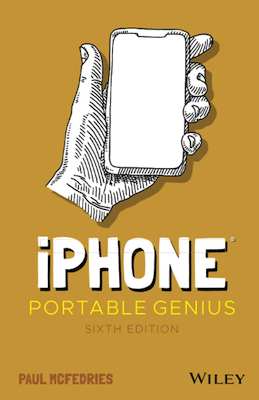
  • New Edition: iPhone 4 Portable Genius

    My book iPhone 4 Portable Genius is now available! This is another book in Wiley's great Portable Genius series, which features full-color screen shots, a clean, crisp layout, and content that turns the book into a portable version of Apple's Genius Bar. In this case, of course, the content is related to the iPhone 4 smartphone, and you learn all kinds of tips, tricks, and workarounds to help you get the most out of your iPhone 4 and the new iOS 4 operating system.

    For much more info about the book, see the book's home page. If you have questions or comments about the book, see The Dialogue Box, this site's discussion group.

  • New Book: Using the Microsoft Office Web Apps

    Using the Office Web AppsMy book Using the Microsoft Office Web Apps is fresh off the printer! In this book I show you how to get the most out of the Office Web Apps, Microsoft's new cloud-bound applications. You learn how to use both Windows Live SkyDrive and SharePoint 2010, and I put all four of the Web Apps—Word, Excel, PowerPoint, and OneNote—through their paces.

    For much more information about the book, see the book's home page. If you have questions or comments about the book, see The Dialogue Box, this site's discussion group.

  • New Edition: Microsoft Excel PivotTables and PivotCharts, 2nd Edition

    Excel PivotTables and PivotCharts 2/EThe second edition of my book Microsoft Excel PivotTables and PivotCharts is now available. The book—fully revised and updated for Excel 2010—covers building PivotTables, customizing PivotTable data and calculations, creating custom calculations, visualizing data with PivotCharts, and creating advanced PivotTables from multiple consolidatation ranges, external databases, and even OLAP data cubes.

    For much more information about the book, see the book's home page. If you have questions or comments about the book, see The Dialogue Box, this site's discussion group.

  • New Edition: Twitter Tips, Tricks, and Tweets, 2nd Edition

    Twitter Tips, Tricks, and TweetsThe latest editon of my Twitter book—Twitter Tips, Tricks, and Tweets, 2nd Edition—is now available to order, purchase, or pre-order (depending on where you live and whether you prefer to shop in your pajamas). This book takes you on a complete tour of the Twitter universe, from setting up your account to using advanced Twitter tools, and also includes complete coverage of all the changes to Twitter and the various Twitter tools that have happened over the past year. Whether you're a member of the Twitterati or have only just heard of this Twitter thing, this book's got you covered.

    For more information about the book, see the book's home page. If you have questions or comments about the book, see The Dialogue Box, this site's discussion group.

    Posted Jun 01 2010, 03:23 PM by Paul with no comments
    Filed under:
  • New Edition: Formulas and Functions: Microsoft Excel 2010

    Formulas and Functions with Microsoft Office Excel 2010The latest edition of my book Formulas and Functions: Microsoft Excel 2010 is now available. This book demystifies worksheet formulas and presents the most useful Excel functions in an accessible, jargon-free way.

    To find out more about Formulas and Functions: Microsoft Excel 2010, see the book's home page. If you want to talk about the book or ask a question or two, head over to The Dialogue Box.

  • New Book: Microsoft Excel 2010 Visual Quick Tips

    Excel 2010 Visual Quick TipsMy book Microsoft Excel 2010 Visual Quick Tips was released on May 10, 2010. This beautifully book (if I do say so myself) offers more than 125 practical and useful tips and tricks laid out in easy-to-follow step-by-step instructions, where each step is illustrated with a full-color screen shot. This book shows you how to customize and configure Excel 2010, get the most out of workbooks, worksheets, and formulas, enhance Excel security and privacy, import and analyze data, and much more.

    For much more information about the book, see the book's home page. If you have questions or comments about the book, see The Dialogue Box, this site's discussion group.

  • New Book: iPad Portable Genius

    My book iPad Portable Genius is now available! This is another book in Wiley's great Portable Genius series, which features full-color screen shots, a clean, crisp layout, and content that turns the book into a portable version of Apple's Genius Bar. In this case, of course, the content is related to the iPad, and you learn all kinds of tips, tricks, and workarounds to help you get the most out of your iPad.

    For much more info about the book, see the book's home page. If you have questions or comments about the book, see The Dialogue Box, this site's discussion group.

  • New Book: Teach Yourself VISUALLY Microsoft Excel 2010

    Teach Yourself VISUALLY Windows 7My book Teach Yourself VISUALLY Microsoft Excel 2010 was released on April 26, 2010. This book uses the famous full-color, profusely illustrated style that's the hallmark of the Teach Yourself VISUALLY series. In more than 155 lessons, this book gives you the full scoop on the Excel 2010 spreadsheet program. You learn what you can do with Excel, and then you learn how to enter and edit worksheet data, format data, manipulate worksheets and workbooks, build formulas, use Excel's built-in functions, analyze data, create charts, and much more.

    For much more information about the book, see the book's home page. If you have questions or comments about the book, see The Dialogue Box, this site's discussion group.

  • New Book: Microsoft Excel 2010 Simplified

    Windows 7 SimplifiedMy book Microsoft Excel 2010 Simplified was released on April 26, 2010. This beautifully laid out book offers straightforward, practical tasks, where each step is illustrated with a full-color screen shot. In 110 lessons, this book takes you on a tour of the most useful and essential Excel 2010 tasks. You learn some important basics to get you started, and then you learn how to enter, edit, and format data, build formulas, manipulate worksheets and workbooks, create charts, collaborate with other Excel users, and more.

    For much more information about the book, see the book's home page. If you have questions or comments about the book, see The Dialogue Box, this site's discussion group.

  • New Edition: Microsoft Windows Home Server Unleashed, Second Edition

    Microsoft Windows Home Server Unleashed, Second EditionThe Second Edition of my book Microsoft Windows Home Server Unleashed is now available. The book covers configuring Windows Home Server, gettng the most out of media sharing, storage, backups, and remote access, and advanced features such as network monitoring and troubleshooting, Windows Home Server maintenance and optimization, and using the server to run a website and SharePoint site. The Second Edition covers all the latest Windows Home Server enhancements, including Power Packs 1, 2, and 3.

    For much more information about the book, see the book's home page. If you have questions or comments about the book, see The Dialogue Box, this site's discussion group.

  • New Book: The Complete Idiot's Guide to Microsoft Windows 7

    The Complete Idiot's Guide to Microsoft Windows 7"Windows 7 this, Windows 7 that." Have you noticed that everybody talks about Windows 7, but nobody does anything about it? Well that's all about to change, my friend because, yes, The Complete Idiot's Guide to Microsoft Windows 7 is now lurking on bookshelves (real ones and virtual ones) the world over. So it's just a matter of time before, well, something happens.

    To make sure you're prepared, check out the book's home page. If you're just dying to talk about the book, or if you have a question or six about the book, the place to go is The Dialogue Box.

  • New Book: Microsoft Windows 7 Visual Quick Tips

    Windows 7 Visual Quick TipsMy book Microsoft Windows 7 Visual Quick Tips was released on October 5, 2009. This beautifully book (if I do say so myself) offers more than 130 practical and useful tips and tricks laid out in easy-to-follow step-by-step intructions, where each step is illustrated with a full-color screen shot. This book shows you how to customize and configure Windows 7, get the most out of Internet Explorer and email, enhance computer and Internet security, master media and networking, and much more.

    For much more information about the book, see the book's home page. If you have questions or comments about the book, see The Dialogue Box, this site's discussion group.

  • New Book: Microsoft Windows 7 Simplified

    Windows 7 SimplifiedMy book Microsoft Windows 7 Simplified was released on September 28, 2009. This beautifully laid out book offers straightforward, practical tasks, where each step is illustrated with a full-color screen shot. In nearly 120 lessons, this book takes you on a tour of the most useful and essential Windows 7 tasks. You learn some important basics to get you started, and then you learn how to work with programs, create and edit documents, work with pictures, music, and other media, use the web and email, customize Windows 7, and perform routine maintenance.

    For much more information about the book, see the book's home page. If you have questions or comments about the book, see The Dialogue Box, this site's discussion group.

  • New Book: Teach Yourself VISUALLY Microsoft Windows 7

    Teach Yourself VISUALLY Windows 7My book Teach Yourself VISUALLY Microsoft Windows 7 was released on September 15, 2009. This book uses the famous full-color, profusely illustrated style that's the hallmark of the Teach Yourself VISUALLY series. In more than 150 lessons, this book gives you the full scoop on Windows 7. You learn some important basics to get you started, and then you learn how to work with programs, create and edit documents, work with pictures, music, and other media, use the web and email, customize Windows 7, and perform routine maintenance.

    For much more information about the book, see the book's home page. If you have questions or comments about the book, see The Dialogue Box, this site's discussion group.

  • New Book: Teach Yourself VISUALLY Mac OS X Snow Leopard

    Teach Yourself VISUALLY MacsMy book Teach Yourself VISUALLY Mac OS X Snow Leopard hit the shelves on September 8. 2009. In 150 lessons, this book gives you an in-depth look at Apple's latest operating system, Mac OS X Snow Leopard, using the famous full-color, profusely illustrated style that's the hallmark of the Teach Yourself VISUALLY series. You learn some important basics to get you started, and then you learn how to work with programs, create and edit documents, work with pictures, music, and other media, use the web and email, customize Snow Leopard, perform routine maintenance, and much more.

    For more information about the book, see the book's home page. If you have questions or comments about the book, see The Dialogue Box, this site's discussion group.

More Posts Next page »
Copyright © 2008 Logophilia Limited and Paul McFedries
Powered by Community Server (Commercial Edition), by Telligent Systems